

Burp Suite for Web Pentesting: Intercepting Requests and Finding Vulnerabilities
Burp Suite for Web Pentesting is a tool that helps people who test the security of websites. It looks at how websites talk to servers and finds weaknesses that bad people could use. This tool catches the things that your browser sends to websites and shows the information that goes back and forth.
Lots of companies use websites to let people log in, pay for things, and store information about their customers. Sometimes these websites are not secure and bad people can get in and steal things. This is why it is so important to test the security of websites.
Burp Suite helps people who test website security catch the things that browsers send to websites, change some of the information, and then see how the website responds. Many security professionals rely on tools like this when working in modern web application security testing roles (Web Application Penetration Testing Career: Why Every Company Needs Web Pentesters in 2026).
So what is Burp Suite for Web Pentesting? It is a tool that tests the security of websites by catching the things that browsers send to them and looking at the responses. It works like a middleman between your browser and the website.
Here are some of the things that Burp Suite can do:
- Catch the things that your browser sends to websites
- Catch the secure traffic that goes back and forth between your browser and websites
- Let you change the information that your browser sends to websites
- Show you how the website responds
- Help you find the places where you can put information into a website
People who test website security use Burp Suite to see how websites handle the information that users put into them. Companies use this information to find weaknesses before bad people can find them.
The good things about using Burp Suite include:
- It helps find weaknesses early
- It reduces the risk of people getting into your website
- It makes the security of your website better
Resources
- A guide to testing the security of websites
- A list of the 10 weaknesses that websites have
- A guide for people who are just starting to learn about testing website security
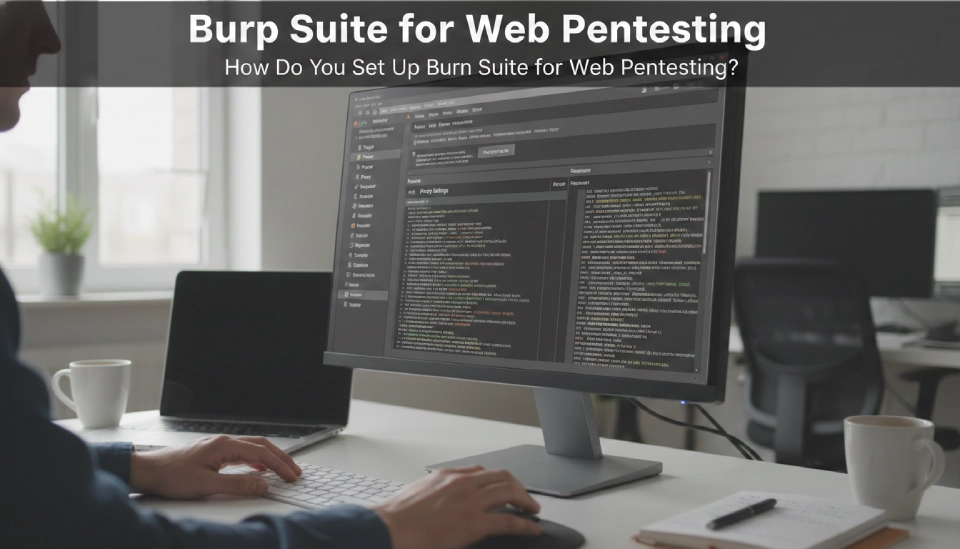
How Do You Set Up Burp Suite for Web Pentesting?
Now lets talk about how to set up Burp Suite for Web Pentesting. To do this you need to install the software, set up your browser to use a proxy, and enable HTTPS inspection.
Here are the steps to install Burp Suite:
- Download the software from the website
- Install it on your computer
- Open the program after it is installed
To set up your browser to use a proxy:
- Browsers usually send information directly to websites
- With Burp Suite the information goes through the proxy first
- You need to set the address and port in your browser
To enable HTTPS inspection:
- You need to get a certificate
- You need to import this certificate into your browser
- This will let Burp Suite decrypt the traffic
Once you have done all of this you can test to make sure it is working.
Resources
- A guide to installing Burp Suite
- A list of tools for people who are just starting to learn about cybersecurity
- A guide to the basics of testing website security
How Do You Intercept Requests in Burp Suite for Web Pentesting?
Now lets talk about how to catch the things that your browser sends to websites in Burp Suite for Web Pentesting. This lets people who test website security capture the information that browsers send to websites before it reaches the server.
Here are the steps to do this:
- Open the Proxy tab
- Turn on the Intercept feature
- Go to a website in your browser
Burp Suite will catch the information that your browser sends to the website and let you change it before it reaches the website.
Here are some examples of the kinds of information that you can catch:
- When you log in to a website
- When you search for something on a website
- When you fill out a form on a website
- When you send information to an API
You can change this information to test the website’s security.
For example you can:
- Change the user ID
- Change the parameters
- Test values
Sometimes changing parameters can reveal access control problems. These problems sometimes appear as insecure object reference weaknesses where attackers access other users data (IDOR Vulnerabilities: How Hackers Access Other Users’ Data).
Resources
- A guide to the structure of HTTP requests
- A guide to testing authentication
- A list of tools for testing website security
How Do You Understand HTTP Requests in Burp Suite for Web Pentesting?
Now lets talk about how to understand the things that your browser sends to websites in Burp Suite for Web Pentesting. This helps people who test website security find out where users can put information into a website.
Every time you send information to a website it includes several parts.
Request components
- The request line tells the website what to do
- The headers include information
- The cookies store information about your session
- The parameters are the information that you put into the website
Here are some examples of the kinds of headers that you might see:
- Information about your browser
- The values of your cookies
- The type of content
Cookies are important because they store information about your session.
Here are some examples of parameters:
- The fields that you fill out when you log in
- The words that you search for
- The information that you put into a form
If the website does not check the parameters carefully it can be vulnerable to attacks. These vulnerabilities sometimes include script injection problems that allow attackers to run malicious code inside the browser (Cross-Site Scripting (XSS) Explained: Stored vs Reflected vs DOM-Based Attacks).
Poor request validation can also expose applications to attacks where users are tricked into sending malicious requests without knowing it (CSRF Attacks Explained: How Hackers Make You Click Malicious Links).
Resources
- A guide to the basics of HTTP
- A guide to session management security
- A guide to input validation practices
How Do You Test Requests with Repeater in Burp Suite for Web Pentesting?
Now lets talk about how to test the things that your browser sends to websites with Repeater in Burp Suite for Web Pentesting. Repeater lets you send the request multiple times and change the parameters each time.
Here are the steps to do this:
- Right click on the request that you caught
- Select Send to Repeater
- Change the parameters
- Send the request again
You can send the request multiple times and see how the website responds each time.
Here are some examples of the kinds of tests that you can do:
- Change the user ID
- Change the login credentials
- Insert testing payloads
You can analyze the responses to see if the website is vulnerable to attacks. Some responses may reveal database weaknesses related to attacks where malicious queries extract data from application databases (SQL Injection Attacks: How Hackers Steal Database Data).
Resources
- A guide to manual penetration testing techniques
- A guide to parameter tampering
- A list of ethical hacking tutorials
How Do You Use Intruder in Burp Suite for Web Pentesting?
Now lets talk about how to use Intruder in Burp Suite for Web Pentesting. Intruder automates the process of sending requests to a website and changing the parameters each time.
Here are the steps to do this:
- Right click on the request that you caught
- Select Send to Intruder
- Choose which parameters to test
- Run the attack
Intruder can perform several types of attacks including:
- Dictionary attacks
- Parameter fuzzing
- Password guessing
You can analyze the results to see if the website is vulnerable to attacks. Automated testing may reveal weaknesses in login validation logic related to techniques attackers use to bypass authentication systems (Authentication Bypass Techniques: How Hackers Break Login Systems).
Resources
- A guide to fuzz testing basics
- A guide to authentication security testing
- A list of cybersecurity testing tools

How Do You Identify Web Vulnerabilities Using Burp Suite for Web Pentesting?
Now lets talk about how to identify weaknesses in websites using Burp Suite for Web Pentesting. Burp Suite helps you find weaknesses by analyzing the information that users put into websites and the responses from the website.
Here are some common types of weaknesses that you might find:
- SQL injection
- Cross site scripting
- Command injection
You can also test file uploads to see if the website is vulnerable to attacks. Some websites allow dangerous uploads that can compromise servers through malicious file upload attacks that execute code on web servers (File Upload Vulnerabilities: Uploading Malicious Files to Hack Web Servers).
In some cases testers also discover vulnerabilities where servers are forced to make internal network requests through server side request forgery attacks that abuse backend systems (Server-Side Request Forgery (SSRF): Making Servers Attack Themselves).
Resources
- A guide to SQL injection testing
- A guide to cross site scripting testing
- A guide to web application penetration testing methodology
Key Takeaways
Burp Suite for Web Pentesting helps security professionals analyze browser traffic and identify vulnerabilities in web applications.
Important points
- Burp Suite works as a proxy between browser and server
• Proxy feature intercepts HTTP and HTTPS traffic
• Repeater enables manual request testing
• Intruder automates payload testing
• Security teams use it to detect injection and authentication flaws
Regular security testing reduces the risk of data breaches and system compromise.
