

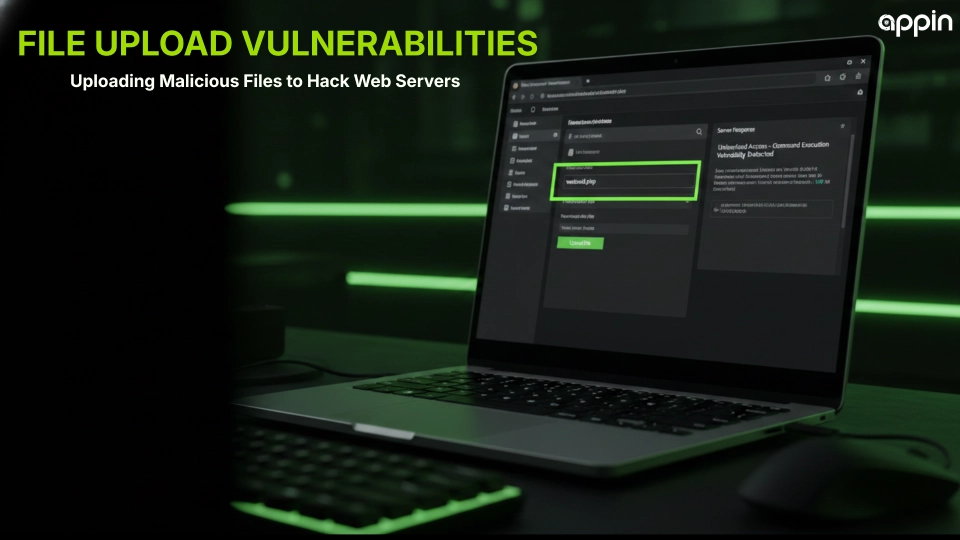
File Upload Vulnerabilities: Uploading Malicious Files to Hack Web Servers
Vulnerabilities in file uploads permit attackers to upload malicious files to web servers. They can then carry out destructive activities.
Many websites provide users with the option to upload images, documents, or media files. Inadequate validation in this process poses critical security threats to websites.
Research into website security points to remote code execution, which often starts with flawed file handling. Inadequate file uploads have been cited in OWASP research as a major reason for web application compromises. A single malicious file can permit attackers to assume full control of a web server.
Business websites that provide file uploads must have robust security validation. A robust file upload system provides security protection for websites from malware, information theft, and unauthorized access.
What Are File Upload Vulnerabilities?
File upload vulnerabilities arise when a web application enables users to upload files without validating or securing the process.
Websites commonly enable file uploads for profile pictures, documents, or attachments. Hackers use the flawed validation process to upload malicious scripts in the form of normal files.
How file upload features work in web applications
If validation is weak, attackers may upload files that contain executable code.
- Users are able to upload files using web forms
- The application sends the file to the server
- The server stores the uploaded file in a directory
- The application will be able to access the uploaded file
If the validation of the files is weak, attackers will be able to upload files containing executable code.
Examples of malicious uploads
- Scripts that run commands on the server
- Web shells that give attackers remote access
- Files that reveal server configuration data
Bug bounty programs frequently report vulnerabilities caused by insecure file uploads.
Resources
- Web application file validation best practices
- Secure coding guidelines for file handling
- OWASP secure file upload recommendations

Why Are File Upload Vulnerabilities Dangerous for Web Servers?
File upload bugs are very dangerous because an attacker can execute commands on the server using malicious files.
After a malicious script is executed on the server, attackers can take control of the application environment.
Security risks caused by malicious uploads
- Remote command execution on servers
- Access to sensitive application files
- Malware installation on web infrastructure
- Full takeover of server resources
Security researchers consistently rank remote code execution as one of the most severe vulnerabilities in web security.
Attackers may also use compromised servers to attack other systems inside the network.
Resources
- Remote code execution vulnerability research
- Web server hardening practices
- Application security risk management frameworks
How Do Hackers Exploit File Upload Vulnerabilities?
Hackers use the file upload vulnerability by uploading malicious scripts in the form of legitimate files.
Attackers try different methods to evade application validation rules.
Common exploitation techniques
- Uploading scripts with image file extensions
- Using multiple file extensions to evade filters
- Modifying file information during the upload process
- Uploading web shells that provide remote access
Security testers often analyze upload requests by intercepting HTTP traffic. Techniques used in intercepting and modifying application requests during penetration testing help researchers identify weak validation systems.
These testing methods help security teams detect vulnerabilities before attackers exploit them.
Resources
- Web request manipulation techniques
- Application penetration testing methodologies
- Security testing tools for web applications
What Are Common Examples of File Upload Vulnerabilities?
Common vulnerabilities in file uploads occur when applications do not validate file types, names, or paths correctly.
Attackers target these vulnerabilities to evade security mechanisms.
Typical examples of vulnerable upload systems
- Uploading executable scripts to public directories
- Using double extensions like image.php.jpg
- Uploading very large files to flood servers
- Storing uploaded files in publicly accessible directories
Bug bounty researchers frequently discover these vulnerabilities in real production systems.
Many attack reports show that simple validation mistakes can lead to full server compromise.
Resources
- Bug bounty vulnerability reports
- Application security case studies
- File upload attack demonstrations
How Do Security Testers Detect File Upload Vulnerabilities?
Security testers identify file upload vulnerabilities by examining how the application handles the uploaded files.
Testing is done to identify vulnerabilities in the validation and storage of files.
Common testing techniques
- Uploading files with varying extensions
- Modifying file attributes during the upload process
- Intercepting file upload requests and altering parameters
- Analyzing server responses after the upload process
Security teams observe server responses to determine whether malicious files are accepted or executed.
Manual penetration testing often reveals weaknesses that automated scanners fail to detect.
Resources
- Web application penetration testing guides
- Security assessment frameworks
- Manual testing methods for application security

How Can Developers Prevent File Upload Vulnerabilities?
Developers can avoid file upload vulnerabilities by following strict validation and storage techniques.
Each uploaded file must be checked prior to storage or processing.
Best prevention practices
- Allow only certain file types
- Check file content on the server
- Store uploaded files in directories not accessible to the public
- Restrict execution permissions on uploaded files
- Scan uploaded files for viruses
Secure development practices significantly reduce the risk of malicious uploads.
Attackers sometimes combine upload weaknesses with techniques such as forcing servers to send internal requests during exploitation to compromise internal systems.
Resources
- Secure development lifecycle guidelines
- Application security monitoring tools
- Server configuration security best practices
