

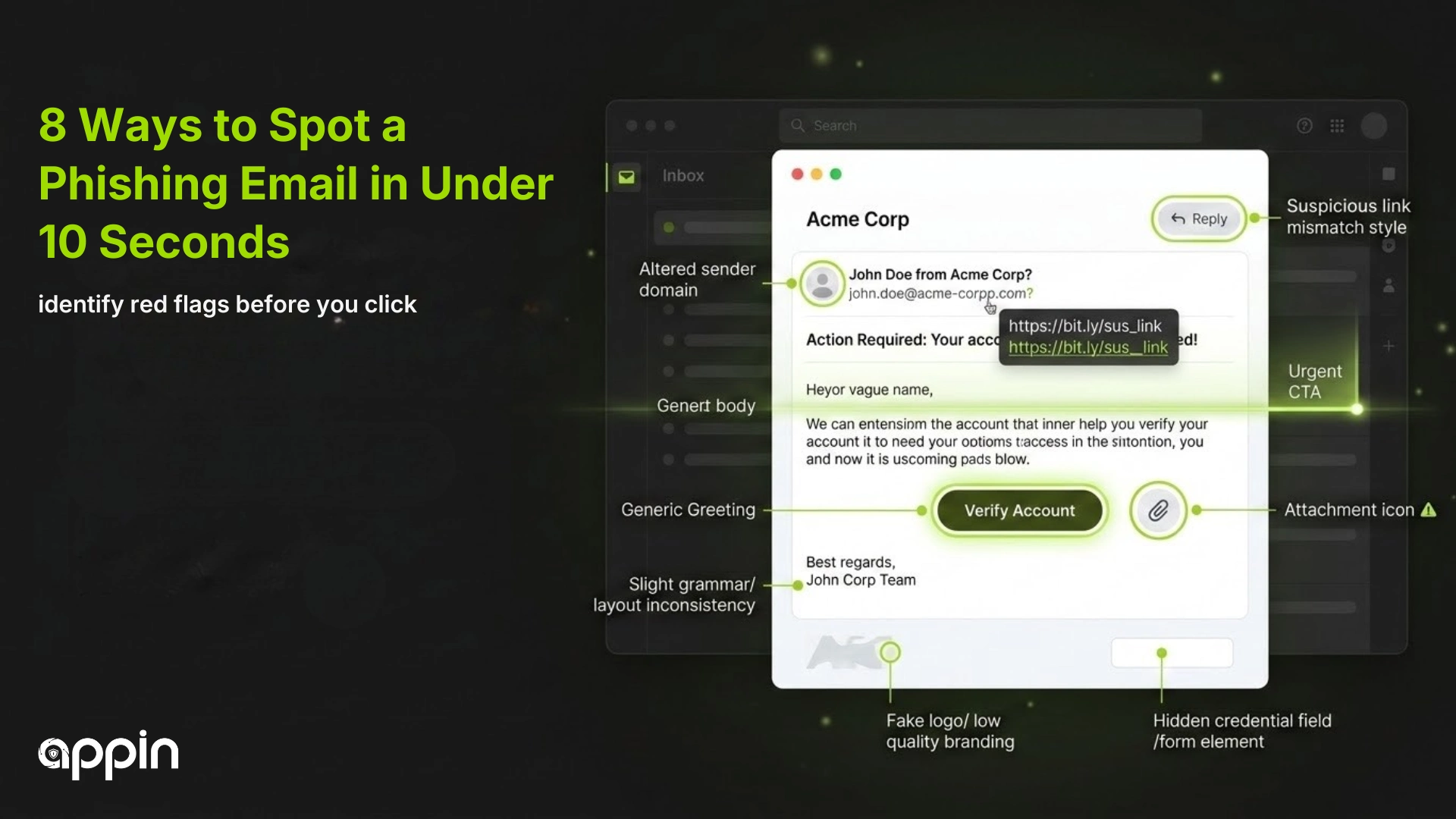
Phishing emails remain the most common entry point for cyberattacks worldwide. About 3.4 billion phishing messages are sent every single day according to 2024 research. Learning the 8 ways to spot a phishing email in under 10 seconds gives you a practical skill that protects both your personal data and your organization from costly breaches. Most phishing attempts share the same visible warning signs that anyone can learn to recognize quickly.
8 Ways to Spot a Phishing Email in Under 10 Seconds
You can spot a phishing email quickly by checking the sender address, links, language, urgency, attachments, branding, and unexpected requests for sensitive information.
The FBI reported that phishing was the number one cybercrime by complaint volume in 2024 with over 859,000 reports and losses exceeding $16 billion. Security awareness training reduces phishing click rates by 86% according to KnowBe4 research that analyzed 67.7 million phishing simulations across 14.5 million users. These numbers prove that knowing what to look for makes a real difference.
-
Suspicious Sender Email Address
The sender email does not match the official company domain and often contains misspellings or random characters.
Scammers frequently create email addresses that look similar to real company domains at first glance. A fake address might use ‘support@paypaI.com’ with a capital letter I instead of a lowercase L, or ‘info@amaz0n-security.com’ with a zero instead of the letter O. These small changes trick people who are skimming through their inbox quickly.
Verizon data shows that 68% of cyberattacks originate from email according to KnowBe4. Always hover over or tap the sender name to reveal the full email address before responding. If the domain looks unusual or does not match the company official website, delete the message and report it.
- Look for misspelled company names in the email domain
- Compare the sender address against the official website contact page
- Watch for random number combinations before the @ symbol
▸ Email Verification Guide: How to check sender domains and spot fake company addresses
▸ Phishing Awareness Training: Why recognizing fake senders is your first line of defense
-
Urgent or Threatening Language
Phishing emails create panic or fear to force you into taking immediate action without thinking carefully.
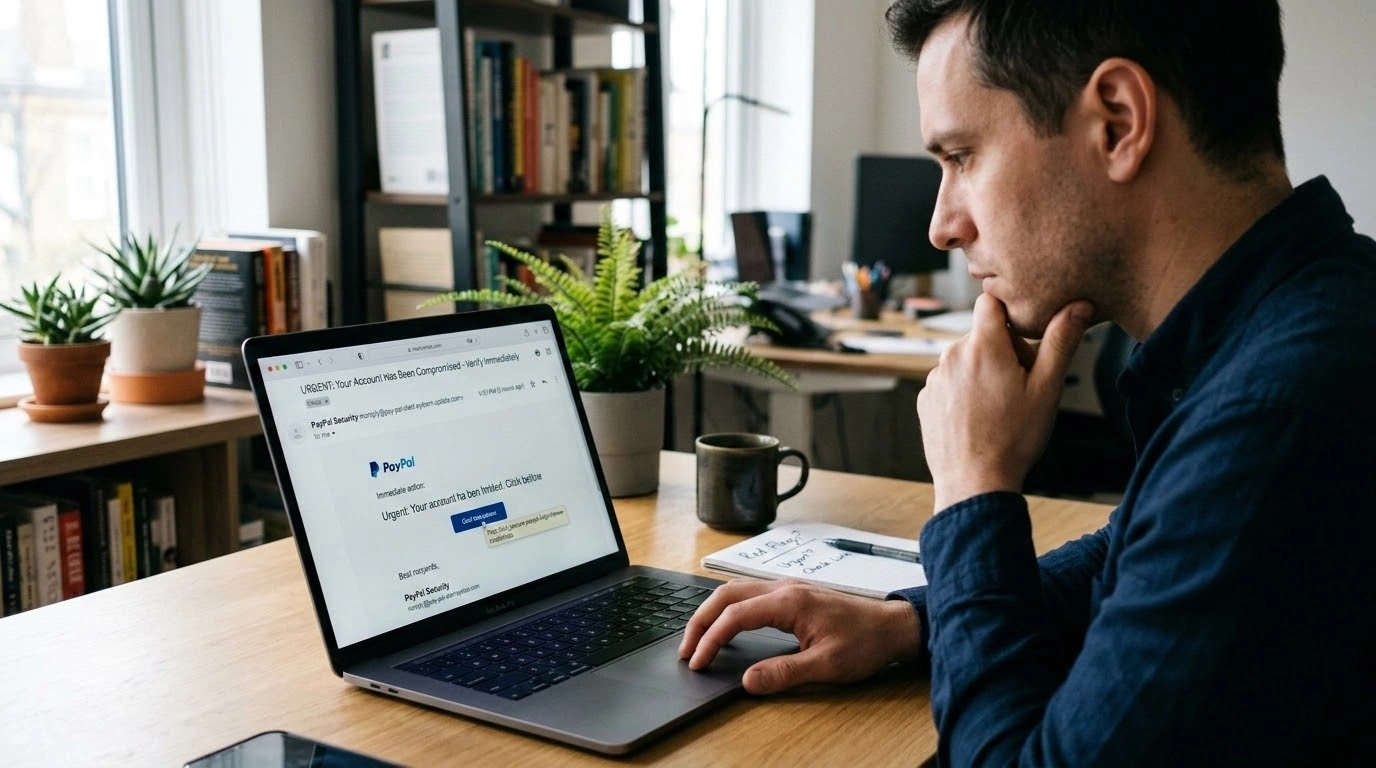
Messages that claim your account will be suspended, your payment will be charged, or your access will be revoked within hours are classic phishing tactics. Scammers use threats like ‘Your account has been compromised’ or ‘Immediate action required’ to override your natural caution. Legitimate organizations rarely demand instant action through email alone.
Research from the Anti Phishing Working Group shows that 853,244 unique phishing attacks were detected worldwide in the fourth quarter of 2025 alone. Staying calm and verifying through official channels stops the majority of these attacks before they cause damage.
- Watch for phrases like “act now” or “urgent response required”
- Real companies send reminders, not threats with tight deadlines
- Take 30 seconds to verify before clicking anything urgent
▸ Urgency Scam Tactics: How attackers use fear and pressure to manipulate victims
▸ Social Engineering Defense: Why staying calm defeats most phishing attempts
-
Unusual or Fake Links
Links in phishing emails often lead to fake websites designed to steal your login credentials or install malware.
Hovering your mouse over a link without clicking reveals the actual destination URL in most email programs. Scammers often hide malicious addresses behind text that says ‘Click here’ or displays a legitimate looking URL that redirects somewhere completely different. About 80% of phishing websites use HTTPS according to Hoxhunt, which means the lock icon in your browser no longer guarantees safety.
Always check the full URL before clicking. Look for misspelled domain names, extra words added before the company name, or URL shorteners that hide the real destination. When in doubt, open a new browser tab and navigate to the website directly instead of using the link in the email.
- Hover over links to preview the real destination before clicking
- Look for misspelled words or extra characters in the URL
- Type the website address directly into your browser instead of clicking
▸ Link Safety Checklist: A quick guide to verify links before you click them
▸ HTTPS Security Limits: Why the padlock icon does not mean a website is safe
-
Poor Grammar and Spelling Errors
Many phishing emails contain obvious language mistakes including broken sentences and an unprofessional tone.
While some phishing campaigns have become more polished over the years, many still contain grammar errors, awkward phrasing, or inconsistent formatting. These mistakes happen because scammers often operate from countries where English is not the primary language. A legitimate corporate email from a bank, government agency, or major company goes through professional review before reaching your inbox.
Look for obvious signs like missing spaces after periods, inconsistent capitalization, or sentences that do not make logical sense. These errors are especially common in the body paragraphs and subject lines of phishing messages.
- Watch for inconsistent spacing, capitalization, and punctuation
- Professional companies proofread all customer communications
- Odd phrasing or awkward sentence structure signals a potential scam
▸ Writing Quality as a Security Clue: How language mistakes reveal fake emails
▸ Email Security Tips: Simple habits that protect your inbox from threats
-
Unexpected Attachments
Attachments in phishing emails may contain malware, ransomware, or harmful scripts disguised as ordinary documents.
Never download or open an attachment from an unexpected email, even if it appears to come from someone you know. Scammers frequently send files with extensions like .exe, .zip, or .scr that execute malicious code when opened. According to the FBI, phishing and spoofing was the top reported cybercrime in 2024 with losses exceeding $16 billion across 859,532 complaints.
Common tactics include sending fake invoices, shipping confirmations, or document scans as attachments. If you were not expecting a file from the sender, contact them through a separate channel to confirm before opening anything. Running antivirus scans on all downloads adds another layer of protection.
- Do not open attachments from senders you do not recognize
- Verify unexpected files by contacting the sender through a different channel
- Be especially cautious with .exe, .zip, and macro enabled documents
▸ Attachment Safety Best Practices: How to handle unexpected files in your email safely
▸ Malware Delivery Methods: Understanding how attackers use documents to spread threats
-
Generic Greetings Instead of Your Name
Phishing emails often use generic greetings like “Dear Customer” or “Dear User” instead of your actual name.
Legitimate organizations have your name on file and typically address you by it in official communications. Generic greetings are a strong signal that the sender does not actually know who you are and is sending the same message to thousands of people at once. This mass approach is the foundation of how to identify phishing quickly.
Some modern phishing campaigns do include your name if they obtained it from a data breach. So while a generic greeting is a useful warning sign, it should be combined with other checks from this list for the most reliable phishing email detection.
- Watch for “Dear Customer” or “Dear User” instead of your real name
- Legitimate services address you by name in account related emails
- Even personalized emails can be fake, so check other signs too
▸ Personalization in Phishing: Why some scam emails include your name and how to stay safe
▸ Email Header Analysis: How to read email headers to verify the real sender
-
Requests for Sensitive Information
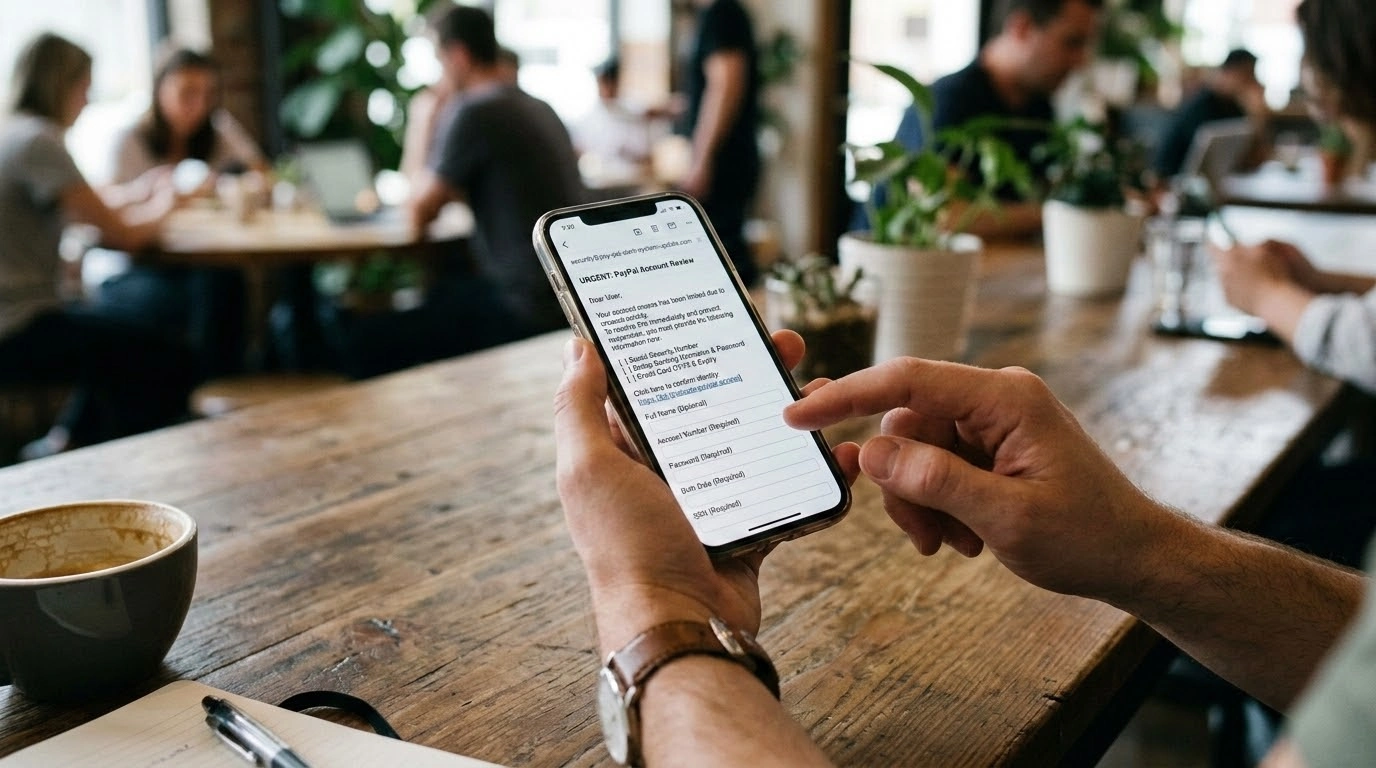
Phishing emails ask for passwords, one time passwords, banking details, or other personal data that legitimate companies never request through email.
No legitimate bank, government agency, or tech company will ever ask for your password, PIN, or full Social Security number through email. Scammers create fake login pages or claim they need to verify your account details. The World Economic Forum reports that 42% of organizations cite phishing as their top cybersecurity risk in 2025, which shows how effective these requests remain.
If an email asks you to confirm credentials, update payment details, or provide personal information, treat it as suspicious. Navigate directly to the official website or call the company using a verified phone number to check whether the request is real.
- Never share passwords, OTPs, or banking details over email
- Verify any information request by contacting the company directly
- Real organizations use secure portals, not email, for data collection
▸ Data Protection Habits: How to keep your credentials and personal information safe
▸ Credential Phishing Defense: Why email is the wrong channel for password changes
-
Mismatch in Branding or Design
Fake emails often copy company branding but contain low quality logos, incorrect colors, or formatting errors.
Scammers download company logos and design templates from the internet, but the final result frequently looks slightly off. Colors may be wrong, the logo may appear blurry or stretched, the footer may contain incorrect legal information, or the overall layout may not match official company emails. Comparing a suspicious message against a real email from the same company usually reveals these differences.
Pay attention to details like the email signature, copyright dates, and font consistency. Even small visual inconsistencies can help you identify phishing attempts before they cause harm.
- Compare the email design against previous real messages from the company
- Look for blurry logos, wrong colors, or outdated branding elements
- Check the footer for correct legal information and copyright year
▸ Visual Phishing Detection: How to spot design flaws in fake corporate emails
▸ Brand Impersonation Scams: Why copying branding is the most common phishing technique
Counterarguments and Limitations
Some phishing emails are now created using artificial intelligence and can be nearly identical to legitimate messages. These AI generated phishing attempts may have perfect grammar, correct branding, personalized greetings, and convincing sender addresses that pass visual inspection. A 2026 study from ZenSec found that 57.9% of phishing emails between
September 2024 and February 2025 were sent from compromised legitimate accounts, making them even harder to detect.
Additionally, some legitimate emails may contain typos or use generic greetings, especially from smaller organizations or automated systems. The eight detection methods in this guide work best when used together as a layered approach rather than relying on any single indicator. Security awareness training reduces phishing click rates by 86% over 12 months according to KnowBe4, which proves that consistent practice builds reliable detection skills.
Key Takeaways
- About 3.4 billion phishing emails are sent daily worldwide based on 2024 data
- Phishing was the number one reported cybercrime in 2024 with over 859,000 FBI complaints
- 68% of all cyberattacks start with email according to KnowBe4 research
- Security awareness training reduces phishing click rates by 86% after one year
- 80% of phishing websites now use HTTPS, making the lock icon unreliable
- Checking sender addresses, links, and language takes less than 10 seconds total
