

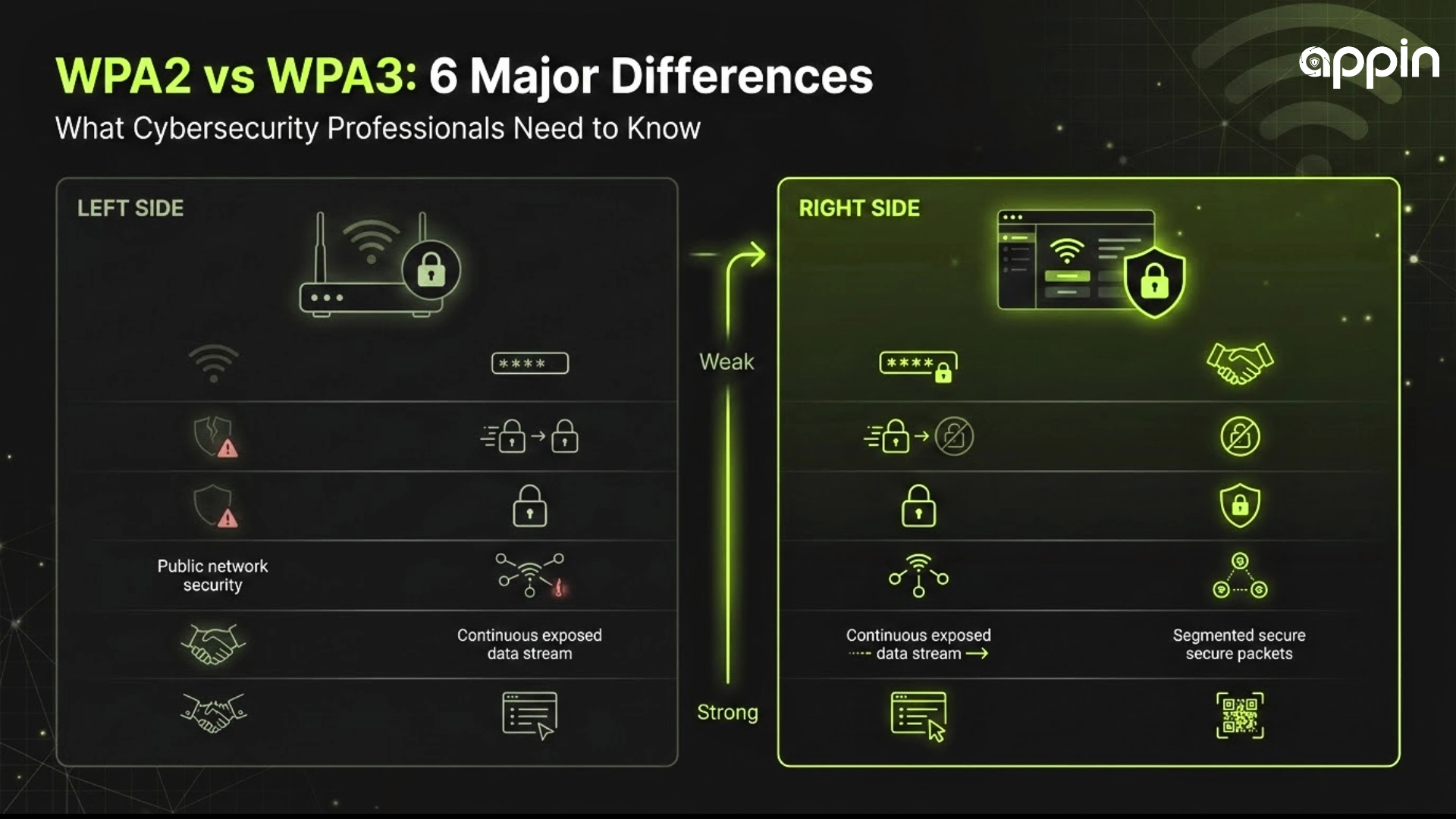
6 Major Differences Between WPA2 and WPA3 for Cybersecurity Professionals
WiFi security directly impacts how organizations protect sensitive data from attackers. The shift from WPA2 to WPA3 represents one of the most important changes in wireless network security since 2004. Understanding the differences in WPA2 vs WPA3 helps cybersecurity professionals make better decisions about protecting networks and client data. This guide breaks down the six major upgrades that make WPA3 the new standard for modern WiFi security protocols.
WPA2 vs WPA3: What Are the 6 Major Differences for Cybersecurity Professionals?
WPA3 improves on WPA2 with stronger encryption, better authentication, protection against brute force attacks, and improved security in public networks.
The WiFi Alliance introduced WPA3 in 2018 to address critical weaknesses found in WPA2, including the KRACK vulnerability discovered in 2017. Research from Nozomi Networks Labs found that only 6% of over 500,000 wireless networks worldwide are adequately protected against common attacks as of early 2025. Upgrading to WPA3 closes many of these security gaps that WPA2 leaves open.

-
Authentication Method in WPA2 vs WPA3
WPA2 uses pre-shared key authentication, while WPA3 uses SAE for stronger and more secure login.
WPA2 relies on a single shared password that all devices use to connect. An attacker can capture network traffic and run offline dictionary attacks to guess that password without ever interacting with the router. This approach worked fine in 2004 but falls short against modern computing power and attack tools.
WPA3 replaces this system with Simultaneous Authentication of Equals, commonly called SAE. This method requires the attacker to communicate with the router for every single password guess. Offline attacks become impossible under SAE, which dramatically raises the difficulty level for anyone trying to break into your wireless network security setup.
- WPA2 allows offline password cracking through captured handshake files
- WPA3 requires online interaction for each password guess attempt
- SAE provides stronger protection for personal and enterprise use
▸ Understanding Network Authentication: How different WiFi authentication methods work and why they matter
▸ SAE vs PSK Deep Dive: A detailed look at how SAE eliminates offline dictionary attacks
-
Protection Against Brute Force Attacks in WPA2 vs WPA3
WPA3 blocks repeated login attempts, making brute force attacks much harder to execute.
Under WPA2, an attacker with a captured handshake file can try billions of password combinations per second using standard graphics cards. Tools like Hashcat and Aircrack make this process fast and accessible. Many professionals who perform wireless penetration testing rely on this weakness to demonstrate how quickly weak passwords fall.
WPA3 changes the game entirely. The SAE handshake forces every password attempt to go through the actual router. Attackers can no longer download a file and attack it offline at their own speed. Rate limiting on the router further reduces the number of guesses possible, making WPA3 encryption far more resistant to brute force attacks.
- WPA2 enables fast offline password guessing with GPU acceleration
- WPA3 requires active network communication for each guess
- Captured WPA3 data is useless for offline cracking attempts
▸ Brute Force Attack Prevention: Strategies to protect networks from automated password attacks
▸ Wireless Penetration Testing Guide: How security professionals test WiFi network defenses
-
Encryption Strength in WPA2 vs WPA3
WPA3 uses stronger encryption standards compared to WPA2 for better data protection.
WPA2 uses 128 bit AES encryption, which has served networks well since its release. However, advances in computing power and the arrival of quantum computing on the horizon have pushed the industry toward stronger standards. WPA3 Enterprise mode adopts 192 bit encryption aligned with the Commercial National Security Algorithm suite, matching the same level used by government and defense agencies.
Even WPA3 Personal mode benefits from improved key exchange mechanisms. The larger key sizes and stronger ciphers make it significantly harder for attackers to decrypt intercepted traffic. Organizations handling sensitive data like healthcare records or financial transactions benefit most from this upgrade in WPA3 encryption strength.
- WPA2 uses 128 bit AES encryption standard
- WPA3 Enterprise uses 192 bit CNSA approved encryption
- Stronger ciphers protect against future computing threats
▸ WiFi Encryption Standards: A comparison of encryption methods used in wireless networking
▸ Enterprise Encryption Best Practices: How to implement strong encryption for business networks
-
Security in Public WiFi Networks in WPA2 vs WPA3
WPA3 provides individual encryption for each user on public networks, unlike WPA2.
Public WiFi networks like those in airports, hotels, and coffee shops traditionally use open connections with no encryption at all. WPA2 offered some protection through WPA2 Enterprise, but personal mode required a shared password that every user needed to know. This setup created risk because all users shared the same encryption key on the network.
WPA3 solves this problem through a feature called WiFi Enhanced Open, which uses Opportunistic Wireless Encryption. Each device gets its own unique encryption key without needing to enter a password. Even though the network itself is open, the data traveling between your device and the router stays private. This represents a massive improvement for wireless network security in public spaces.
- WPA2 shares one encryption key among all connected users
- WPA3 gives each user a separate unique encryption key
- Enhanced Open protects data without requiring passwords
▸ Public WiFi Security Risks: Common threats on shared networks and how to avoid them
▸ OWE Explained: How Opportunistic Wireless Encryption works in practice
-
Forward Secrecy in WPA2 vs WPA3
WPA3 ensures past data remains secure even if a password is compromised later.
Forward secrecy is one of the most important upgrades in the WPA3 protocol. Under WPA2, anyone who obtained the network password could potentially decrypt previously captured traffic. This steal now, decrypt later approach poses serious risks for organizations that handle classified or sensitive information on a daily basis.
WPA3 assigns a unique encryption key to every individual session. If an attacker somehow gets your password today, they still cannot read any traffic captured from past sessions. Each session stands alone with its own separate key that gets destroyed after the connection ends. This feature matters enormously for corporate environments where long term data protection is required by law.
- WPA2 allows decryption of past traffic with the network password
- WPA3 generates unique encryption keys per session
- Compromising a password does not expose historical data
▸ Forward Secrecy Explained: Why session level encryption matters for data protection
▸ Session Key Management: Best practices for managing encryption keys in enterprise networks
-
Ease of Secure Configuration in WPA2 vs WPA3
WPA3 simplifies secure setup with better default protections for all users.
Setting up WPA2 Enterprise requires technical knowledge about RADIUS servers, certificates, and authentication protocols. Small businesses often skip this complexity and fall back to weak WPA2 Personal passwords instead. This gap leaves many networks exposed despite the availability of stronger security options.
WPA3 introduces WiFi Easy Connect, which allows users to add devices by scanning a QR code. IoT devices like smart cameras, speakers, and sensors can join the network without needing screens or keyboards. Protected Management Frames are mandatory in WPA3, which prevents attackers from disconnecting devices or spoofing router messages. These WiFi security protocols make it easier for non technical users to maintain strong network protection.
- WPA2 needs manual setup for enterprise grade protection
- WPA3 supports QR code device onboarding for simplicity
- Protected Management Frames block deauthentication attacks by default
▸ WiFi Easy Connect Setup: A step by step guide to device onboarding with QR codes
▸ Securing IoT Devices: How to protect smart devices on your wireless network

Counterarguments and Limitations
WPA3 is not a perfect solution. Only 10 to 15 percent of existing IoT devices currently support WPA3 according to industry reports. Older printers, point of sale terminals, and embedded systems may never receive WPA3 compatibility updates. Organizations with legacy hardware must run mixed WPA2 and WPA3 networks, which reduces overall security because WPA2 vulnerabilities remain active on those segments.
WPA3 also increases processing demand on low power devices, though most modern hardware handles this without noticeable performance issues. Security professionals who perform wireless penetration testing note that the transition to WPA3 requires planning and investment that some smaller organizations may find difficult to justify in the short term.
Key Takeaways
- WPA3 uses SAE authentication that eliminates offline password attacks possible under WPA2
- 192 bit encryption in WPA3 Enterprise matches government level security standards
- Individual encryption keys protect users on public networks through WiFi Enhanced Open
- Forward secrecy ensures captured past sessions stay private even if passwords are compromised later
- WiFi Easy Connect and mandatory Protected Management Frames simplify secure configuration
- Only 6% of over 500,000 wireless networks had adequate protection in a 2025 global analysis
