

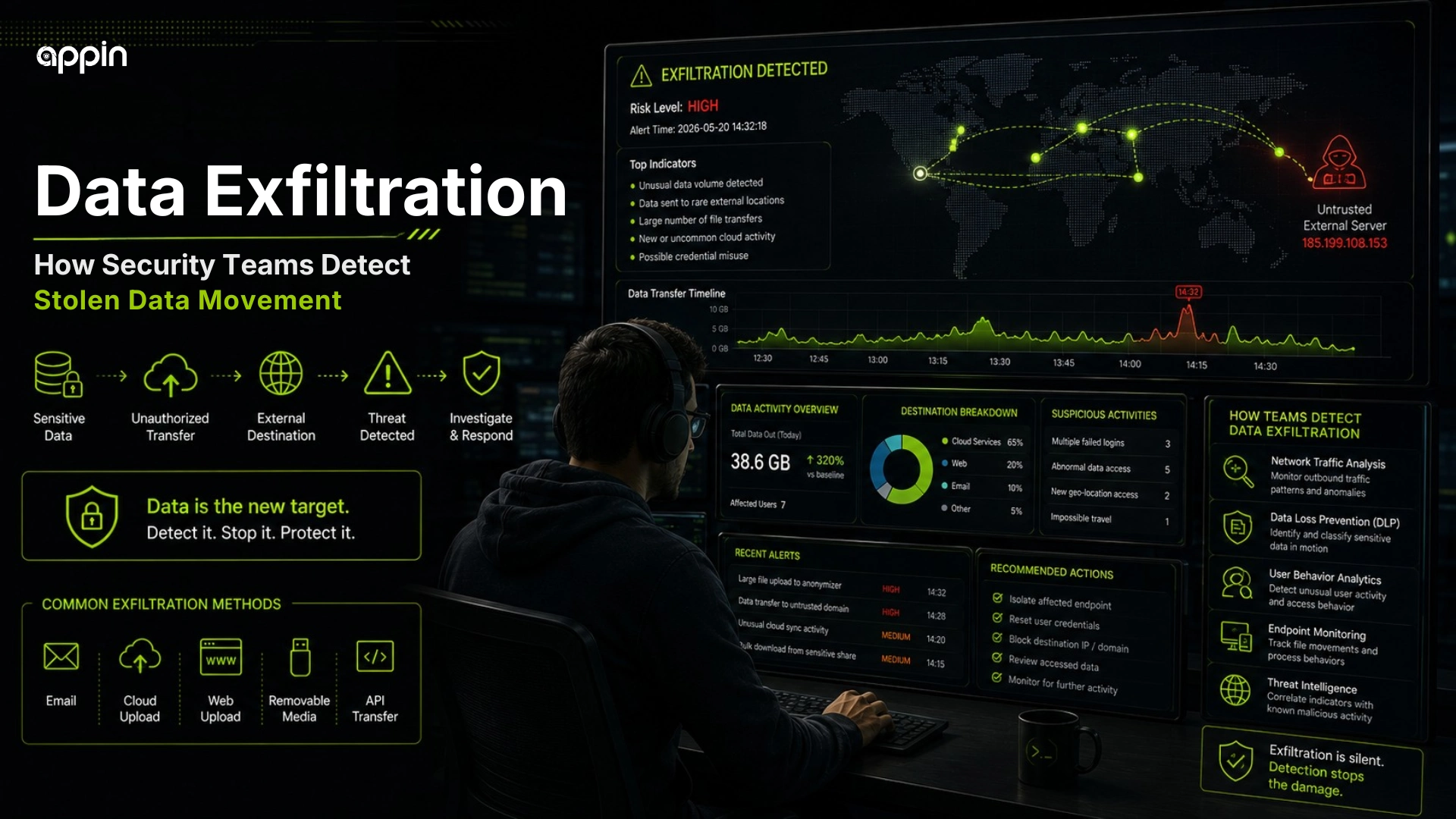
Data Exfiltration Explained: How Security Teams Detect Stolen Data Movement
Data exfiltration explained simply means understanding how attackers quietly move stolen files, credentials, or business data outside an organization.
A company may not notice when attackers first enter the network. The real damage often begins when customer records, employee files, passwords, invoices, source code, or internal documents start moving to an outside location.
This blog explains how data exfiltration happens, why it is dangerous, how security teams detect stolen data movement, and what cybersecurity students can learn from these cases.
What is data exfiltration in cybersecurity?
Data exfiltration is the unauthorized movement of sensitive information from a system, network, cloud account, or device to an outside location.
In simple words, it means data leaves the organization without permission. A normal file transfer may be approved by a user or business process, but data exfiltration in cybersecurity is hidden, suspicious, or malicious.
Attackers may steal data for money, blackmail, fraud, identity misuse, ransomware pressure, or business espionage. It can happen through malware, phishing, compromised accounts, unsafe apps, insider threats, or weak cloud security.
Why is data exfiltration dangerous for companies?
Data exfiltration is dangerous because stolen data can lead to financial loss, customer exposure, legal issues, reputation damage, and extortion.
A data breach does not always start with files being deleted or systems going down. Sometimes the first real damage is silent data theft.
Companies may lose:
- Customer records
- Employee details
- Financial documents
- Source code
- Contracts
- Business plans
- Credentials
- Internal emails
Once sensitive data leaves the company, the organization cannot simply “restore” it like a deleted file.
What type of data do attackers try to steal?
Attackers usually steal data that has business, financial, identity, or extortion value.
The target depends on the company. A hospital may have patient records. A finance company may have KYC files. A software company may have source code.
Common targets include:
- Customer records
- Login credentials
- Source code
- Contracts and invoices
- HR and payroll records
- Financial reports
- Database exports
- Cloud storage files
- Internal emails and chats
This stolen data may later be sold, leaked, used for fraud, or used to pressure the victim.
How do attackers prepare data before stealing it?
Attackers often search, collect, compress, encrypt, or stage data before moving it outside the network.
This is how data exfiltration happens before the final transfer. Attackers usually do not randomly copy everything at once. They first look for valuable folders, databases, file shares, or cloud storage locations.
They may:
- Search file shares
- Find sensitive folders
- Export databases
- Compress files into archives
- Split large files
- Rename files to look normal
- Stage data on temporary systems
- Prepare files for upload
These actions can create early clues for security teams.
How do attackers move stolen data out of networks?
Attackers move stolen data through cloud storage, FTP/SFTP, email, remote access tools, encrypted tunnels, DNS tunneling, or compromised legitimate services.
Attackers often prefer methods that look like normal business traffic. For example, a cloud upload may look normal unless the size, timing, user, or destination is unusual.
Common movement methods include:
- Cloud upload services
- Web based file storage
- FTP/SFTP transfer
- Email attachments
- Remote access tools
- Rclone or Rsync style transfers
- DNS or HTTPS tunneling
- Command and control channels
The method matters less than the behavior. Security teams ask, “Is this data movement normal for this user and system?”
Why is data exfiltration hard to detect?
Data exfiltration is hard to detect because attackers often hide stolen data movement inside normal looking network traffic.
Many companies use cloud apps, file sharing tools, email, remote work tools, and encrypted web traffic every day. Attackers try to blend into that activity.
Detection becomes harder because of:
- Encrypted traffic
- Trusted cloud services
- Small transfers over time
- Off hours activity
- Legitimate admin tools
- Compromised real accounts
- Common protocols
- Lack of monitoring
That is why baseline behavior is important. Teams need to know what “normal” looks like before they can spot unusual movement.
What are the early signs of data exfiltration?
Early signs of data exfiltration include unusual outbound traffic, large file transfers, abnormal access to sensitive folders, new archive files, and uploads to unknown destinations.
If you are asking what are signs of data theft, look for behavior that does not match the user, system, or business need.
Warning signs include:
- Sudden bandwidth spikes
- Large outbound uploads
- Many files accessed quickly
- Transfers during odd hours
- Access from unusual accounts
- New ZIP or RAR archives
- Unknown external IPs or domains
- Cloud upload activity
- Disabled security tools
These signals become stronger when they appear together.
How do security teams detect stolen data movement?
Security teams detect stolen data movement by monitoring network traffic, endpoint activity, user behavior, file access, DNS activity, cloud logs, and DLP alerts.
This is how security teams detect stolen data in real environments. They collect logs from different sources and look for suspicious patterns.
Data theft detection methods include:
- SIEM monitoring
- EDR alerts
- DLP tools
- Network traffic analysis
- User and entity behavior analytics
- Cloud access logs
- DNS monitoring
- Firewall logs
- Baseline comparison
Security teams rarely depend on one alert. They connect multiple clues to understand the full incident.
How does network traffic analysis help detect data exfiltration?
Network traffic analysis helps detect data exfiltration by showing unusual outbound connections, transfer volume, destination patterns, and protocol misuse.
For example, if an employee account suddenly uploads large files to an unknown cloud destination at midnight, that may need investigation.
Network teams look for:
- Outbound traffic baselines
- Large upload detection
- Unknown destination checks
- Repeated small transfers
- Protocol anomalies
- Suspicious ports
- External server connections
- Encrypted transfer patterns
Good traffic analysis helps teams see movement that may not appear on a user’s screen.
How does DLP help prevent data exfiltration?
DLP, or Data Loss Prevention, helps detect and block sensitive data from leaving the organization without authorization.
DLP can identify data leakage by checking content, file types, keywords, patterns, and movement rules. For example, it may alert when payroll files are uploaded to an unsanctioned cloud service.
DLP can support:
- Sensitive data classification
- Keyword or pattern detection
- File movement rules
- Email and upload monitoring
- Blocking unauthorized transfers
- Alerting security teams
- Policy tuning
DLP needs careful tuning because too many false alerts can reduce its value.
How do cloud logs help detect data theft?
Cloud logs help detect data theft by showing unusual downloads, sharing changes, external links, mass access, and suspicious login activity.
Many companies now store data in Google Drive, OneDrive, AWS, Azure, SaaS tools, and cloud dashboards. If logging is weak, suspicious access can be missed.
Cloud logs may show:
- Mass file downloads
- External sharing links
- New API keys
- Unusual login locations
- Privilege changes
- Cloud storage uploads
- Compromised user accounts
- Suspicious app connections
Weak APIs can also become a path for attackers to pull sensitive data from applications. API security explained
How does data exfiltration connect with ransomware?
Data exfiltration connects with ransomware because attackers often steal files before encryption and then threaten to leak the data.
This is known as double extortion ransomware. Backups may restore encrypted files, but they cannot erase stolen data from the attacker’s hands.
Data exfiltration is a major part of double extortion ransomware because attackers steal information before demanding payment. double extortion ransomware
In many ransomware cases, data theft begins before employees notice that files are encrypted. ransomware in 2026
What should security teams do after detecting data exfiltration?
Security teams should contain affected systems, stop transfers, preserve evidence, identify stolen data, reset access, and begin incident response.
The first goal is to stop further movement. The second goal is to understand what happened.
Response steps include:
- Isolate affected devices
- Block suspicious destinations
- Disable compromised accounts
- Preserve logs and evidence
- Identify accessed data
- Review cloud sharing
- Notify legal or compliance teams
- Strengthen controls after the incident
Teams should avoid deleting evidence too quickly because logs help investigation.
How can companies prevent data exfiltration?
Companies can prevent data exfiltration through least privilege access, MFA, DLP, encryption, monitoring, network segmentation, cloud security, and employee awareness.
Prevention works best when companies reduce unnecessary access and monitor unusual behavior.
Important controls include:
- Least privilege access
- Multi factor authentication
- Data classification
- DLP policies
- Endpoint security
- Network segmentation
- Cloud access controls
- Backup and recovery
- Security awareness training
- Incident response drills
Even fake loan apps can teach students how personal data collection turns into cyber abuse. online loan app scams
What can cybersecurity students learn from data exfiltration cases?
Cybersecurity students can learn how attackers move inside networks, find sensitive data, hide transfers, and how SOC teams detect suspicious movement.
Data movement detection in SOC is a valuable skill because many serious incidents show warning signs before full damage happens.
Students can learn:
- Log analysis
- SIEM alerts
- Network traffic monitoring
- DNS investigation
- Cloud security basics
- Incident response
- Digital forensics
- Ransomware investigation
- Threat detection workflows
This topic is useful for students interested in SOC, cyber forensics, incident response, and ethical hacking.
How can Appin help students learn data exfiltration detection?
Appin helps students learn data exfiltration detection through practical cybersecurity training, ethical hacking concepts, network security labs, SOC awareness, and incident response learning.
At Appin Indore, students can build cybersecurity fundamentals, network attacks and defense knowledge, ethical hacking foundation, log analysis basics, SOC concepts, and incident response awareness.
Students can explore CEH v13, CHFI, Bug Bounty Diploma, Diploma in Information Security, and the 6 month Diploma in IT Security and Ethical Hacking.
Appin Technology Lab also provides mentor led learning, career guidance, and placement assistance for students and freshers.
Why Data Exfiltration Detection Matters for SOC Careers
Data exfiltration explained in one line: it is the unauthorized movement of sensitive data outside an organization.
Attackers try to hide stolen data movement through normal looking traffic, cloud services, encrypted channels, and compromised accounts. Security teams detect it through monitoring, baselines, DLP, SIEM, EDR, cloud logs, and incident response.
Start your cybersecurity journey with Appin Indore and build practical SOC, ethical hacking, network security, and incident response skills through guided labs and expert support.
